Operations
The live, actionable core of the console — what’s exposed right now, and what to do about it.
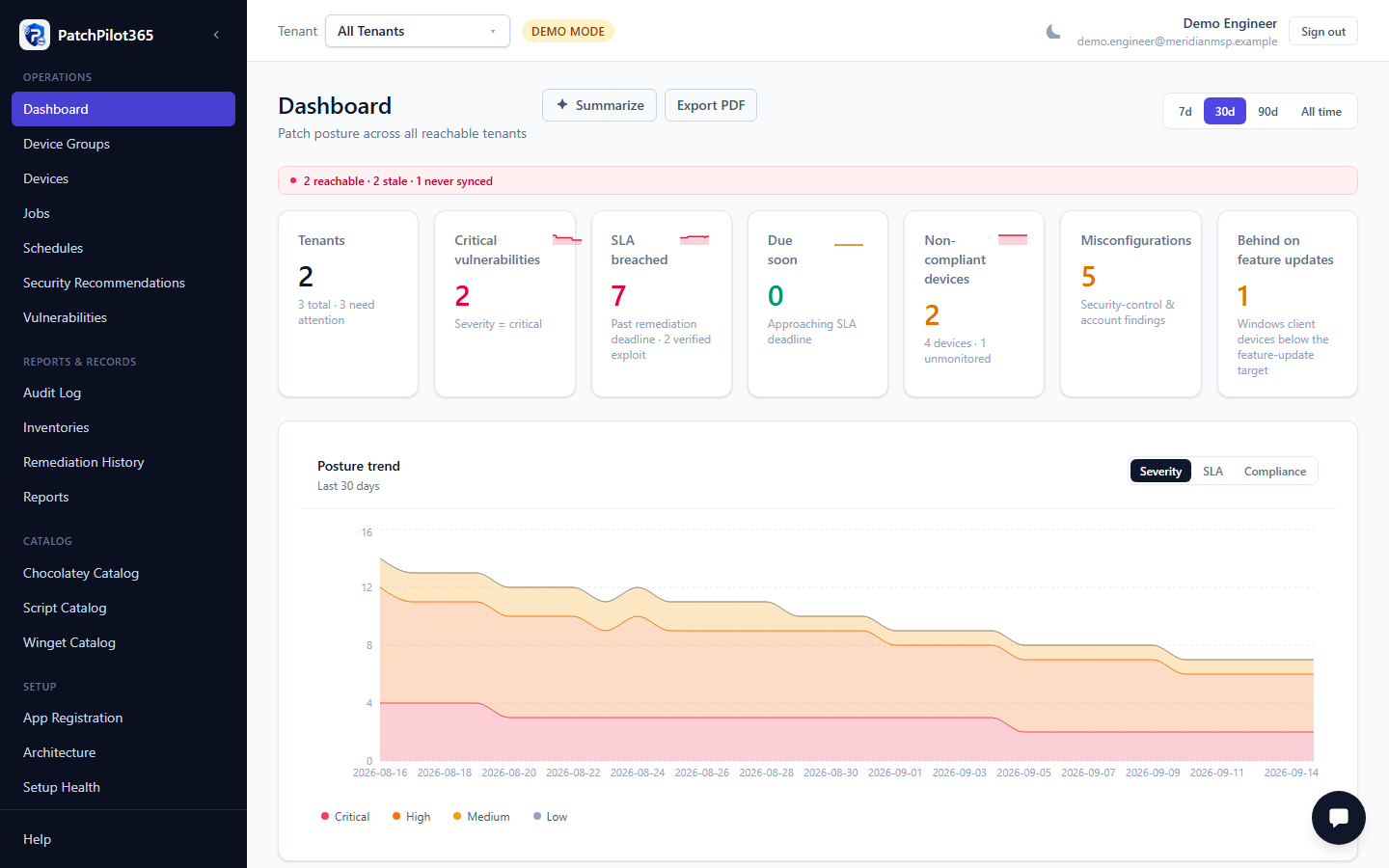
Dashboard
The landing page (/). A fleet-wide overview: KPI cards, a
CVEs-detected-vs-remediated trend, catalog coverage, SLA compliance by
severity, top affected software, and a remediation-throughput chart. A time
range selector (7d / 30d / 90d / All time) scopes every chart on the page at
once. Every card links through to the detailed page behind it.
Vulnerabilities
CVE-based findings from Microsoft Defender Vulnerability Management, filterable by SLA status (All / Breached / Due soon / On track). Click a row to see exposed devices, dispatch a fix, or record a local exception when Defender’s own suppression tools don’t apply.
Security Recommendations
Defender’s broader recommendation set, covering both Vulnerabilities and Misconfigurations — filterable by type and by the same SLA status buckets as the Vulnerabilities page. Misconfiguration findings are informational (Windows Update remediation doesn’t apply to them); CVE-type recommendations behave like the Vulnerabilities page.
Device Groups
PatchPilot-native groups of devices, used to scope a recurring schedule to a subset of the fleet instead of every device. Assign devices to a group from the Devices page, then reference the group when creating a schedule.
Devices
The per-device view of the fleet: compliance state, exposed vulnerabilities and recommendations, installed software, and exclusion status. Filterable by compliance (All / Non-compliant / Compliant / Unknown) and by exclusion state. Click a device for its full detail drawer, including its complete software inventory and feature-update target status.
Jobs
Every remediation job PatchPilot has dispatched or is about to — the worker’s own queue and execution history, independent of which finding or schedule triggered it. Shows status, target devices, channel used, and (where one fix also closes multiple CVEs) which other findings the same job covers.
Schedules
Recurring remediation runs for a tenant. When a schedule fires, the worker re-runs the same pre-flight gate on each matching device before enqueuing anything — creating or pausing a schedule here is configuration only, and every change is audited.